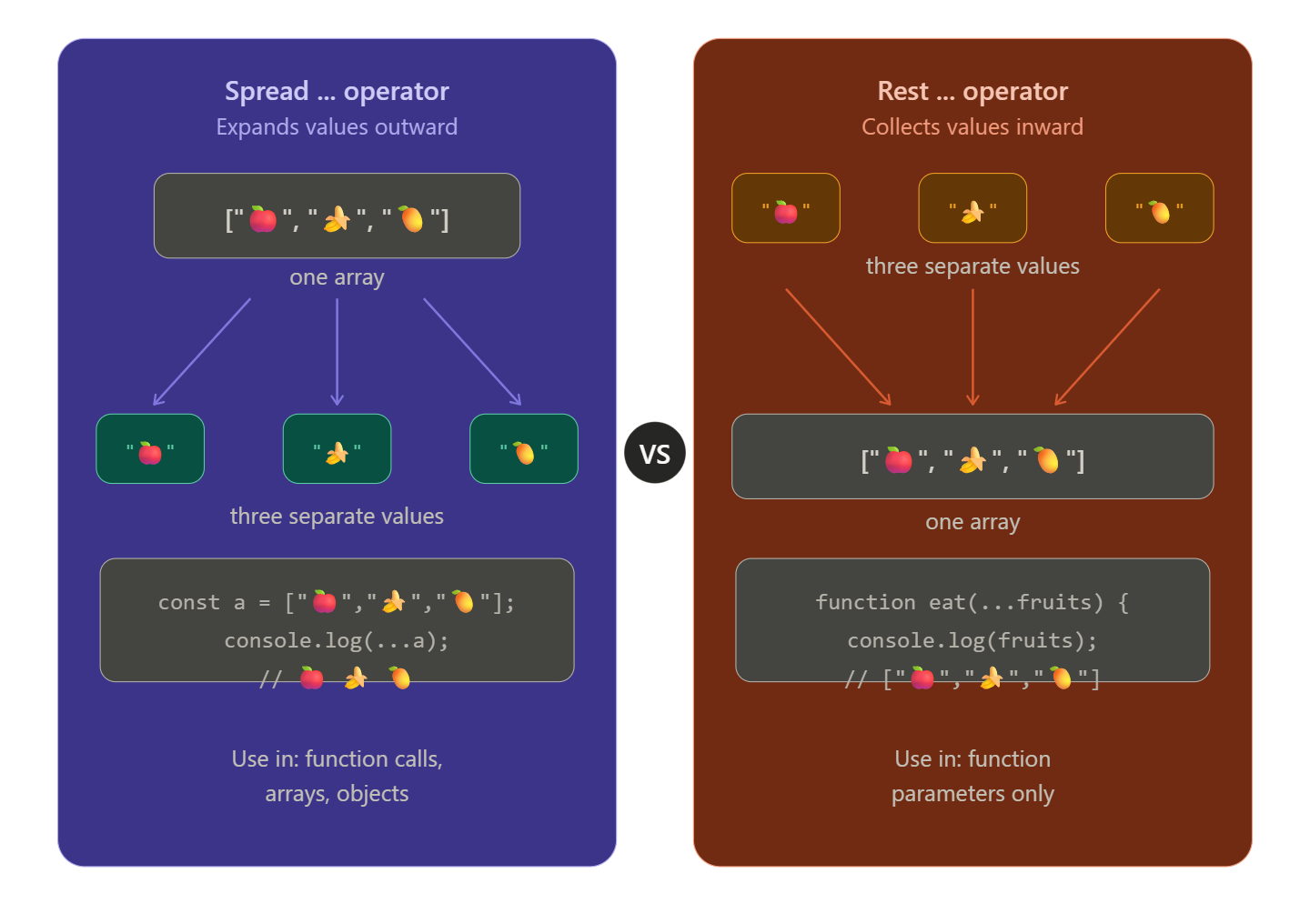
Spread vs Rest Operators in JavaScript
If you've ever seen ... in JavaScript code and wondered what it does — you're not alone. Those three dots are one of the most useful features in modern JavaScript, but they can be confusing because the same symbol does two very different things depending on where you use it.
In this article, we'll break down both the Spread and Rest operators in simple terms, look at real examples, and explore why developers use them every day.
What Does the Spread Operator Do?
Think of the spread operator like unpacking a box. You have a box (an array or object), and ... takes everything out and spreads it flat.
const fruits = ["apple", "banana", "mango"];

console.log(...fruits);
// Output: apple banana mango
Instead of getting the whole array, you get each item individually — spread out.
What Does the Rest Operator Do?
The rest operator is the opposite it's like packing things into a box. When you have multiple separate values, ... gathers them together into a single array.
function collectFruits(...fruits) {
  console.log(fruits);
}

collectFruits("apple", "banana", "mango");
// Output: ["apple", "banana", "mango"]
You passed in 3 separate values, and rest collected them into one array for you.
Key Differences Between Spread and Rest
| Spread | Rest | |
|---|---|---|
| What it does | Expands values outward | Collects values inward |
| Where it's used | In function calls, arrays, objects | In function parameters |
| Think of it as | Unpacking a suitcase | Packing a suitcase |
Same symbol, opposite jobs. The context tells JavaScript which one you mean.
Using Spread with Arrays and Objects
Spread with Arrays
Combining two arrays:
const veggies = ["carrot", "spinach"];
const fruits = ["apple", "mango"];

const allFood = [...veggies, ...fruits];
console.log(allFood);
// ["carrot", "spinach", "apple", "mango"]
Copying an array (without linking them):
const original = [1, 2, 3];
const copy = [...original];

copy.push(4);
console.log(original); // [1, 2, 3]  ← unchanged!
console.log(copy);     // [1, 2, 3, 4]
Spread with Objects
Merging two objects:
const userInfo = { name: "Arjun", age: 22 };
const userRole = { role: "admin", active: true };

const fullUser = { ...userInfo, ...userRole };
console.log(fullUser);
// { name: "Arjun", age: 22, role: "admin", active: true }
Overriding a single property:
const settings = { theme: "light", fontSize: 14 };
const updatedSettings = { ...settings, theme: "dark" };

console.log(updatedSettings);
// { theme: "dark", fontSize: 14 }
Practical Use Cases
Use Case 1 — Passing array items as function arguments
const numbers = [5, 12, 3, 8];

// Math.max() doesn't accept arrays directly
console.log(Math.max(...numbers)); // 12
Use Case 2 — Rest in function parameters (flexible inputs)
function addNumbers(first, second, ...rest) {
  console.log("First two:", first, second);
  console.log("The rest:", rest);
}

addNumbers(1, 2, 3, 4, 5);
// First two: 1 2
// The rest: [3, 4, 5]
Use Case 3 — Updating state in React (spread shines here)
const user = { name: "Priya", age: 25, city: "Delhi" };

// Update only the city without touching the rest
const updatedUser = { ...user, city: "Mumbai" };
console.log(updatedUser);
// { name: "Priya", age: 25, city: "Mumbai" }
Use Case 4 — Collecting form inputs
function submitForm(name, email, ...otherDetails) {
  console.log("Name:", name);
  console.log("Email:", email);
  console.log("Extra info:", otherDetails);
}

submitForm("Ravi", "ravi@gmail.com", "Mumbai", "Developer", "26");
Quick Summary
...is called spread when it expands an array/object into individual elements...is called rest when it collects individual elements into an arraySpread works in function calls, array literals, and object literals
Rest works in function parameters
Both make your code cleaner and more flexible
Conclusion
Once you get the hang of it, ... becomes one of those things you can't imagine coding without. Whether you're merging arrays, copying objects, or writing flexible functions, the spread and rest operators will save you a lot of repetitive code.
Try experimenting with them in your browser's console — the best way to learn is to break things and see what happens!