Template Literals in JavaScript
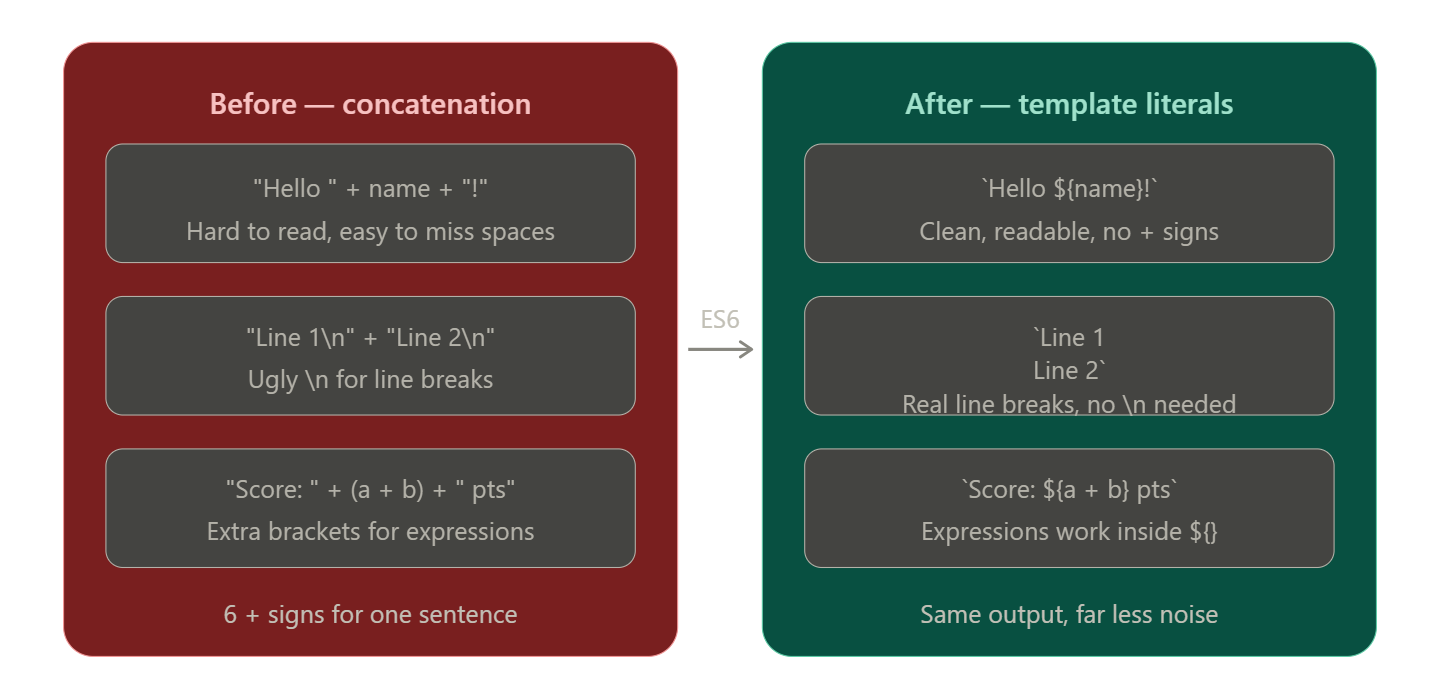
If you've ever tried to build a string in JavaScript by gluing pieces together with + signs, you know how quickly it turns into a mess. Forget one quote, one +, or one space — and the whole thing breaks or looks wrong.
Template literals, introduced in ES6, solve this completely. They make building strings with variables clean, readable, and intuitive. By the end of this article, you'll wonder how you ever coded without them
Problems with Traditional String Concatenation
Here's what building a greeting message used to look like:
const name = "Priya";
const age = 22;
const city = "Delhi";

const message = "Hello, my name is " + name + " and I am " + age + " years old. I live in " + city + ".";
Go ahead — count the + signs. There are 6 of them. Every variable needs to be surrounded by quotes and plus signs, and it's very easy to:
forget a space inside the quotes (
"is"vs"is ")mix up quote types and break the string
lose track of what's a variable and what's text
make the code nearly unreadable when variables increase
This is the classic problem that template literals are designed to fix.
Template Literal Syntax
A template literal uses backticks ( ` ) instead of regular single or double quotes. That one change unlocks everything.
const greeting = `Hello, world!`;
Just swapping the quote type doesn't do much on its own — but now you can embed variables directly inside the string.
Important: the backtick key is usually in the top-left of your keyboard, to the left of the
1key.
Embedding Variables — String Interpolation
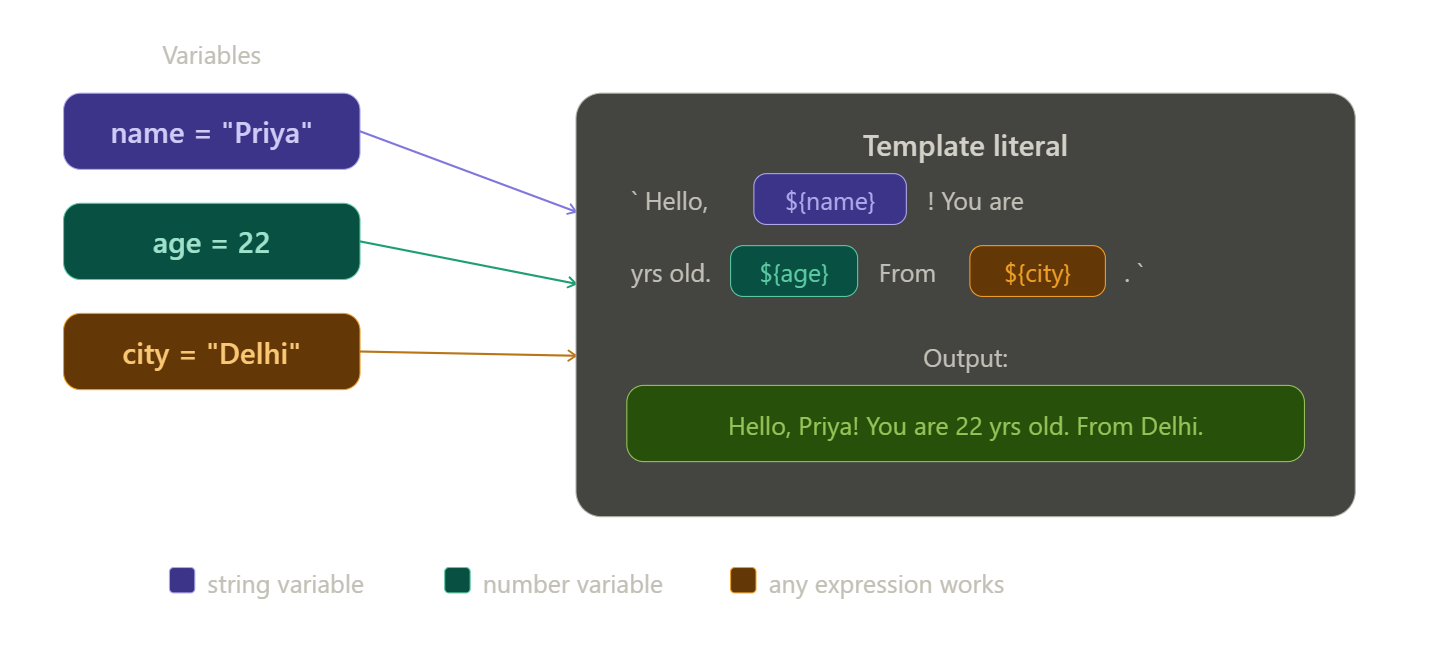
The real magic of template literals is \({}. Anything inside \){} gets evaluated as JavaScript and dropped right into your string.
const name = "Priya";
const age = 22;
const city = "Delhi";

const message = `Hello, my name is \({name} and I am \){age} years old. I live in ${city}`.;

console.log(message); // Hello, my name is Priya and I am 22 years old. I live in Delhi.
Compare this to the concatenation version above. Same output — but now you can actually read it.
You're not limited to variables. Any JavaScript expression works inside ${}:
const a = 5;
const b = 10;

console.log(Sum of \({a} and \){b} is ${a + b}); // Sum of 5 and 10 is 15

console.log(Today is ${new Date().toDateString()}); // Today is Mon Apr 07 2026

const items = ["apple", "mango", "banana"];
console.log(You have ${items.length} items in your cart.); // You have 3 items in your cart.
Multi-line Strings
Another painful limitation of old-style strings was that they couldn't span multiple lines without a workaround:
// Old way — ugly escape characters needed
const poem = "Roses are red,\nViolets are blue,\nJavaScript is fun,\nAnd so are you.";

// Or even worse — string concatenation across lines
const html = "<div>" +
             "<h1>Hello</h1>" +
             "<p>World</p>" +
             "</div>";
Template literals just... work across multiple lines. Press Enter inside backticks and it preserves the line break naturally:
const poem = `Roses are red,
Violets are blue,
JavaScript is fun,
And so are you.`;

console.log(poem);
// Roses are red,
// Violets are blue,
// JavaScript is fun,
// And so are you.
This is especially useful when building HTML strings in JavaScript:
const user = { name: "Arjun", role: "Admin" };

const card = `
  <div class="user-card">
    <h2>${user.name}</h2>
    <p>Role: ${user.role}</p>
  </div>
`;
Clean, readable, and no \n escape characters anywhere.
Use Cases in Modern JavaScript
Use Case 1 — Building URLs dynamically
const baseURL = "https://api.example.com";
const userId = 42;
const endpoint = `\({baseURL}/users/\){userId}/profile`;

console.log(endpoint);
// https://api.example.com/users/42/profile
Use Case 2 — Displaying personalised messages
const user = { name: "Sneha", score: 87 };

const result = user.score >= 80 ?
`Great job, \({user.name}! You scored \){user.score} — that's an A!` :
`Keep going, \({user.name}. You scored \){user.score}.`;

console.log(result); // Great job, Sneha! You scored 87 —thats an A!
Quick Summary
Template literals use backticks
`instead of quotesEmbed any variable or expression using
${...}— this is called string interpolationMulti-line strings work naturally without
\nescape charactersThey make your code dramatically more readable, especially with multiple variables
Use them in URLs, HTML generation, personalised messages, and debugging
Conclusion
Template literals are one of those features that, once you use them, you never go back to string concatenation. They're cleaner, less error-prone, and much easier to read — especially as your strings grow more complex.
The next time you catch yourself typing "Hello " + name + "!", stop — and write Hello ${name}! instead. You'll thank yourself later.
First — string interpolation: how ${} slots variables into a string:
Second — the before vs after comparison your readers will instantly relate to: