Unpacking JavaScript Destructuring
**
What is Destructuring?**
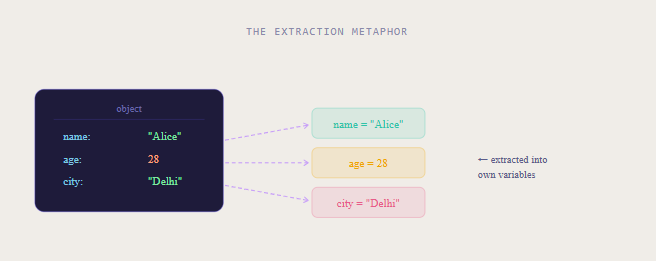
Destructuring is a JavaScript syntax that lets you unpack values from arrays or properties from objects into distinct variables in a single, readable line.
Think of it like unpacking a box:
instead of reaching in multiple times to grab each item one-by-one, you pull everything out at once and label each item immediately
Core idea:
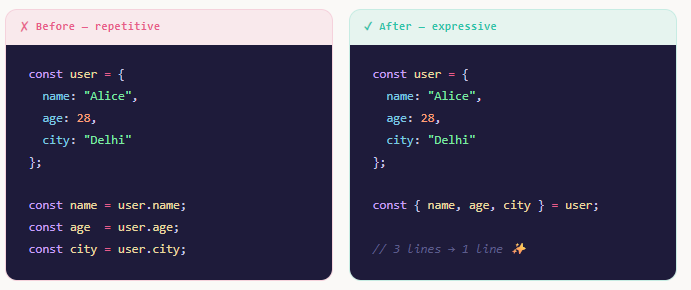
Instead of
const name = user.name;const age = user.age;
you write it once, expressively, as a pattern on the left side of =
Array Destructuring
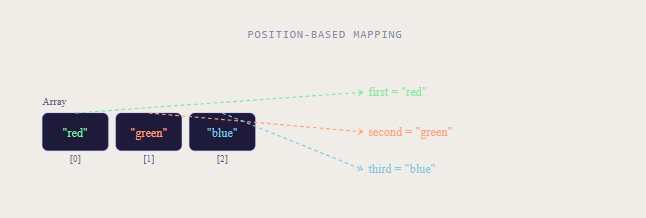
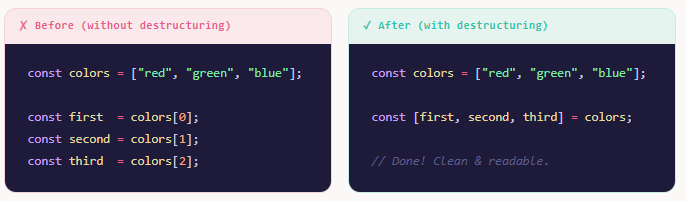
With arrays, destructuring maps values by position. The first variable gets the first item, the second gets the second, and so on.
Use square brackets [ ] on the left side
Skipping Elements
You can skip positions you don't need using commas as placeholders
const [, second, , fourth] = [10, 20, 30, 40];
console.log(second); // 20
console.log(fourth); // 40
Rest Element ...
Capture remaining items into a new array with the rest operator:
const [head, ...tail] = [1, 2, 3, 4];
console.log(head); // 1
console.log(tail); // [2, 3, 4]
**
Object Destructuring**
With objects, destructuring matches values by property name, not position. Use curly braces { } on the left side. The variable name must match the object key unless you rename it.
Renaming While Destructuring
Use a colon : to give the extracted variable a new name. Great when names might conflict with existing variables.
const { name: username, age: userAge } = user;
console.log(username); // "Alice"  (renamed from name)
console.log(userAge);  // 28       (renamed from age)
Nested Object Destructuring
You can go deeper into nested objects inline:
const user = {
  name: "Alice",
  address: {
    city: "Delhi",
    zip: "110001"
  }
};

const { name, address: { city, zip } } = user;
console.log(city); // "Delhi"
**
Default Values**
What if a key doesn't exist, or an array slot is empty? You'll get undefined. To guard against this, assign a default value with = directly in the destructuring pattern.
// Object defaults
const { name = "Guest", role = "viewer" } = { name: "Alice" };
console.log(name); // "Alice"   (exists, default ignored)
console.log(role); // "viewer"  (missing, default applied!)

// Array defaults
const [a = 10, b = 20] = [5];
console.log(a); // 5   (from array)
console.log(b); // 20  (default, slot was empty)
Rule: A default kicks in only when the value is undefined. If the value is null, 0, or false, the default is not used.
Real-world Pattern: Function Parameters
This is where defaults shine. Destructure function arguments directly, with safe fallbacks:
// Without destructuring 😓
function greet(options) {
  const name = options.name || "Guest";
  const lang = options.lang || "en";
  return `Hello \({name} [\){lang}]`;
}

// With destructuring 🎉
function greet({ name = "Guest", lang = "en" } = {}) {
  return `Hello \({name} [\){lang}]`;
}

greet({ name: "Alice" }); // "Hello Alice [en]"
greet();                   // "Hello Guest [en]"
**
Benefits of Destructuring**
Destructuring isn't just syntactic sugar it genuinely changes how you structure and read code. Here's why developers reach for it constantly:
Less repetition
No more typing obj.prop over and over. Extract once, use freely.
Intent is clear
The destructuring pattern at the top tells readers exactly which parts you're using.
Safe defaults
Built-in fallback values keep your code resilient against missing or undefined data.
Swap variables
Swap two variables without a temp: [a, b] = [b, a]
Cleaner functions
Destructure params inline — your function signature becomes self-documenting.
Great with loops
Works beautifully with Object.entries() and array methods like .map().
Destructuring in Loops
const users = [
  { name: "Alice", score: 95 },
  { name: "Bob",   score: 87 },
];

// Clean! Each iteration destructures automatically
for (const { name, score } of users) {
  console.log(`\({name}: \){score}`);
}

// With Object.entries()
const config = { host: "localhost", port: 3000 };
for (const [key, value] of Object.entries(config)) {
  console.log(`\({key} → \){value}`);
}
Quick Reference
// ── Array Destructuring ──────────────────
const [a, b]            = [1, 2];           // basic
const [x, , z]          = [1, 2, 3];        // skip slot
const [h, ...rest]       = [1, 2, 3];        // rest
const [p = 10]           = [];               // default

// ── Object Destructuring ─────────────────
const { name, age }      = user;             // basic
const { name: n }        = user;             // rename
const { role = "admin" } = user;             // default
const { a: { b } }       = obj;              // nested

// ── Swap Variables ───────────────────────
[a, b] = [b, a];                               // no temp!

// ── Function Params ──────────────────────
function fn({ x = 0, y = 0 } = {}) { ... }